How it works
How a drawingbecomes an inspection record.
Upload an engineering drawing as a PDF. ASdrawn reads it — views, title block, notes, dimensions, and GD&T — detects the inspection characteristics, and balloons them onto the print. You open the result in the editor, where every extracted characteristic sits beside its source callout: verify it, adjust anything the AI got wrong, and sign off. Record the first-off results against the balloons, then export the package: a one-page Basic FAI, or an AS9102 Rev C FAIR review workbook, with the annotated, ballooned PDF. No CAD files, no templates to wire up: the drawing you already have goes in, and a first-article record comes out.
The steps
Upload
What happens when I upload a drawing?
ASdrawn reads the whole drawing, not just the dimensions. It parses the views, the title block, the general notes, and every dimension — feature control frames, datums, threads, chamfers, surface-finish symbols, and flag notes included. Multi-sheet PDFs are handled sheet by sheet, and the read is revision-aware.
Each callout it finds is detected and classified into a characteristic type, so what comes back isn’t a blob of text — it’s a structured list of the things an inspector actually has to check. Anything ambiguous is flagged for your review, not quietly guessed.
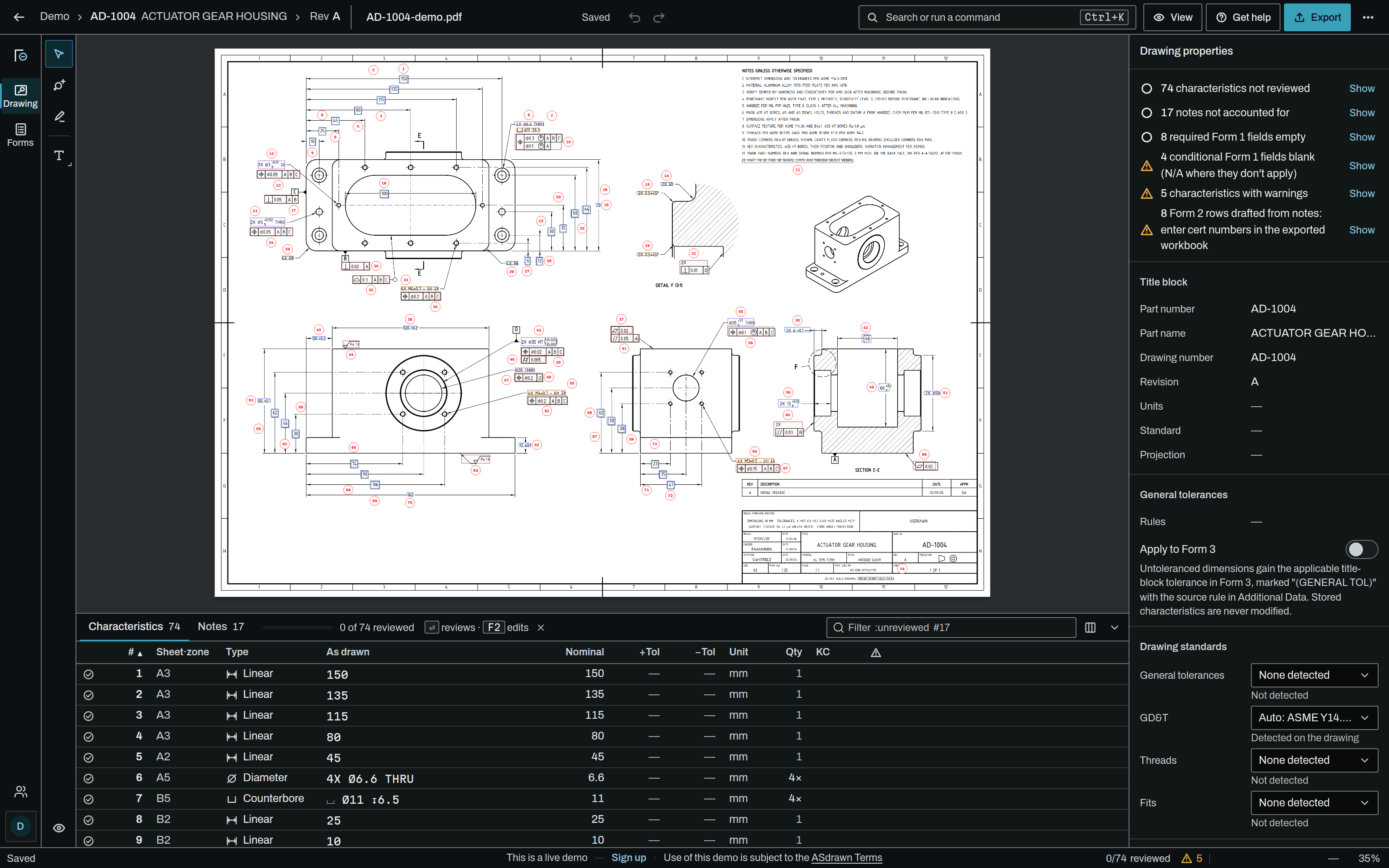
- Fig
- Editor · AD-1004
Balloons
How do balloons and the Form 3 stay traceable?
Every characteristic ASdrawn detects gets a numbered balloon placed on the drawing, and every balloon links back to a row in the workbook. Renumber, move, add, or delete a balloon and the workbook follows the edit — the numbering on the print and the numbering in the report never drift apart.
That one-to-one chain is what makes the package auditable. A reviewer can walk from a row on the AS9102 Rev C Form 3 to its balloon, and from the balloon to the exact callout on the drawing. The outputs are the annotated, ballooned PDF and the Rev C workbook — the two artifacts that go into the FAIR package.
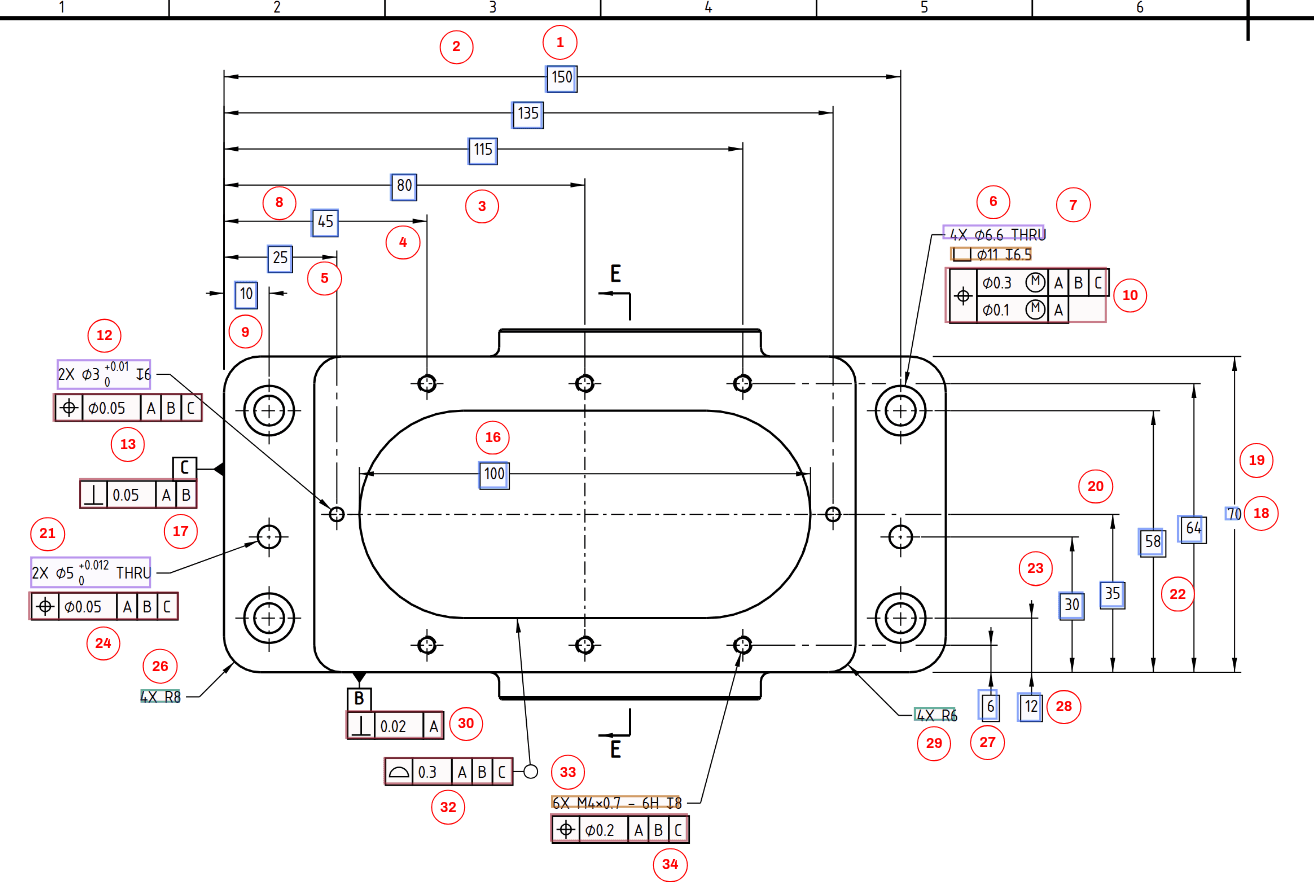
- Fig
- Plan view · ballooned
Review
What does the review step look like?
ASdrawn drafts the accountability package; a qualified person decides what ships. In the editor, every extracted characteristic sits beside its source callout on the drawing — you verify each one, adjust anything that’s off, and sign off.
This is where honesty matters. Reliably extracting GD&T feature control frames, datum references, and blanket “unless otherwise specified” tolerance notes is the genuinely hard part of reading a drawing — for every tool in this space, not just ours. So ASdrawn is built around review rather than around a claim of perfect automation: ambiguities are flagged for a human, not guessed, and you review every row against the drawing before you export. ASdrawn does not stop an export on its own; that check is yours.
That matches how AS9102 itself works — a first article inspection is complete only when a qualified person has reviewed and signed the FAIR. The workflow is shaped to fit that requirement, not to work around it.
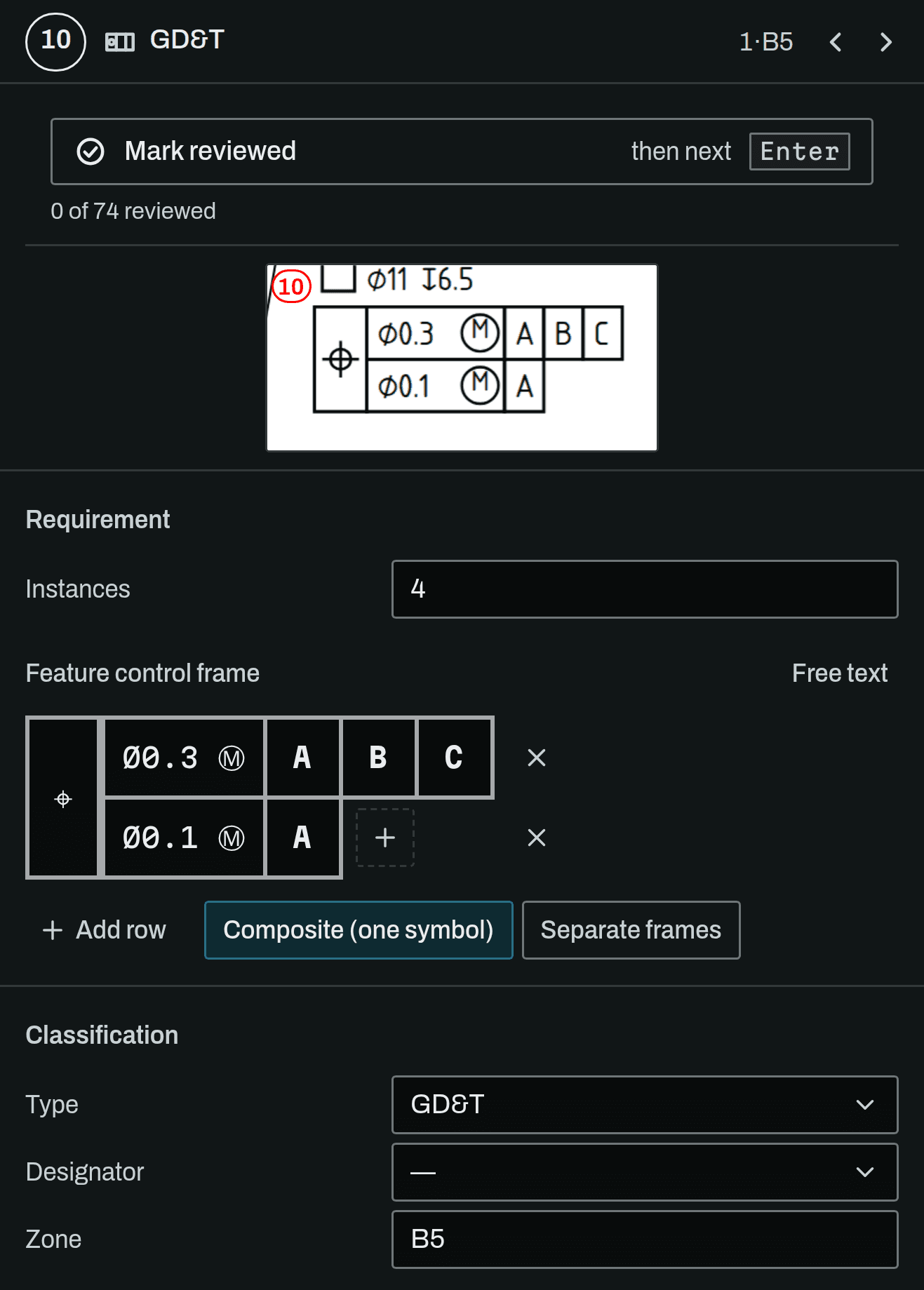
- Fig
- Inspector · balloon 10
Export
What do I get out?
The ballooned PDF and an inspection sheet, then the package you choose. The full one is a standard AS9102 Rev C FAIR review workbook — Forms 1, 2, and 3 in Excel, populated from the drawing and your part data. The Basic FAI puts every requirement, its result and gauge, the nonconformances and the sign-off on one sheet, for a shop that doesn’t owe its customer an AS9102 FAIR. Both come from the same data, and every row traces cleanly to its balloon.
If you need the characteristic data somewhere else, the editor also exports the characteristics table as CSV or JSON for ERP, quoting, and inspection tooling. It all works from the drawing PDF — the artifact you already have contractual obligations against — so there’s nothing to model and no CAD file to supply.
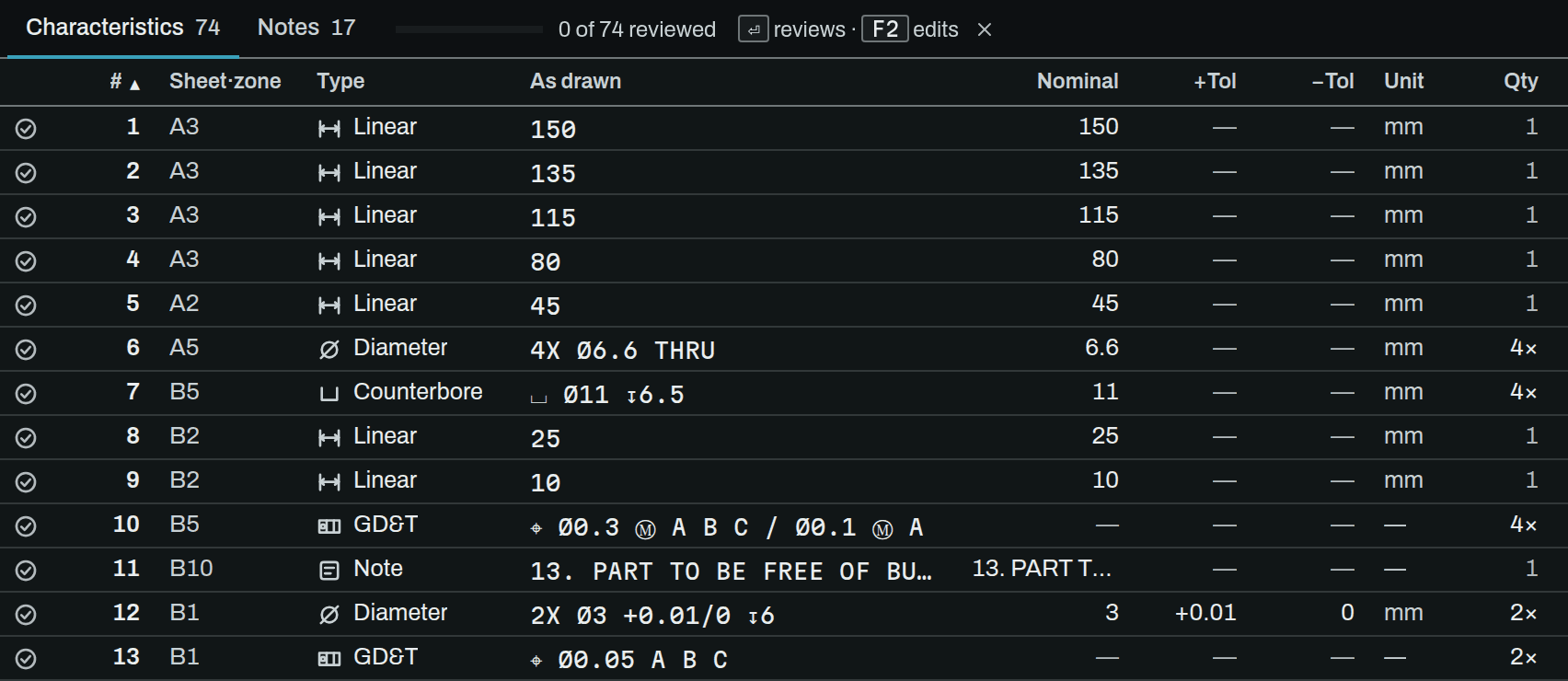
- Fig
- Characteristics table
Results
How do the measured results get in?
At the machine, before you export. The Results tab works through the characteristics in balloon order, sized for a phone. Each one takes a value, or accept or reject, and the gauge it was checked with, picked from your own list. ASdrawn works out pass or fail from the drawing’s limits and keeps that verdict with the limits it used, so a later tolerance edit never rewrites it. Frames and limits it can’t value are left for a person to judge.
A reading taken with a gauge whose calibration is overdue, or has no due date, is flagged on the export. A fail opens a nonconformance: what was wrong, the action, the disposition and who decided.
Measured on a CMM or kept in a spreadsheet already? Import the CSV or Excel file, map its columns and check the preview: rows match on balloon number, and anything that can’t be placed exactly is shown and left out, not guessed.
Revisions
What happens when the drawing gets revised?
Rev B is where FAIR work quietly gets redone. ASdrawn compares two revisions in one screen: overlay them with colour-matched balloons and adjustable layer opacity, with match lines connecting the same characteristic on each print. Matches are scored and queued for your review — confirm them, and anything without a counterpart is flagged instead of guessed.
Then the part that protects your paperwork: accept the alignment and ASdrawn carries the previous revision’s balloon numbering onto the new one, right in the editor, as a single undoable step. Matched characteristics keep the numbers your previous FAIR used — no re-ballooning from scratch, no renumbering surprises.
Most tools make you choose: a pixel overlay that doesn’t know what a balloon is, or a text change-log with no view of the print. This is both at once, on the inspection data you’ll actually submit.
See it on your own drawings.
Upload a drawing PDF and hold the output — workbook, ballooned print and all — to your own standard.