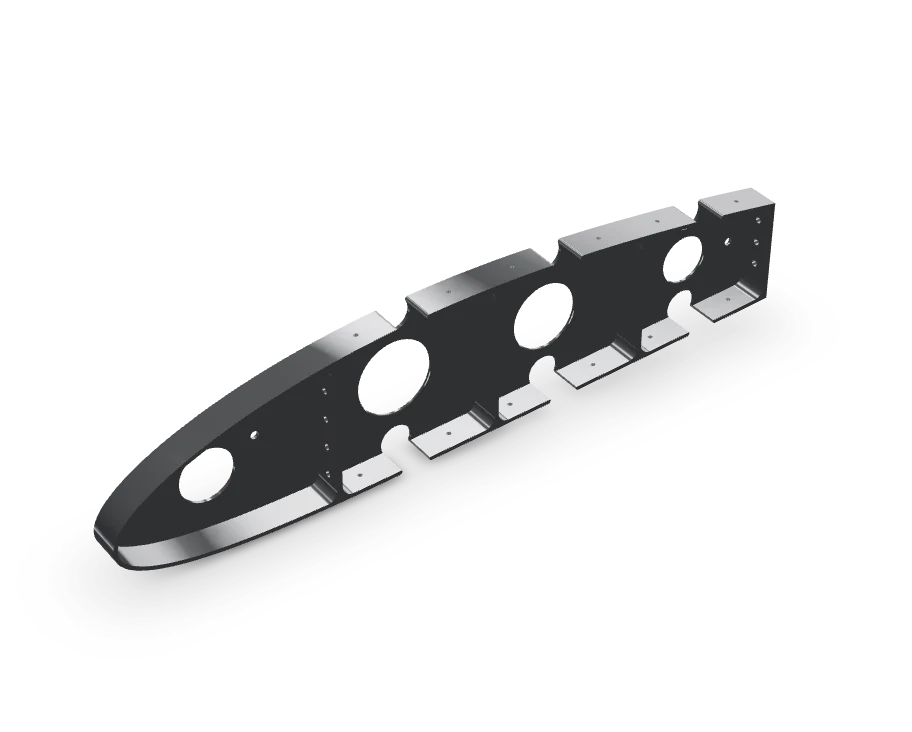
Ballooning · Inspection · AS9102 Rev C
Make it as drawn.
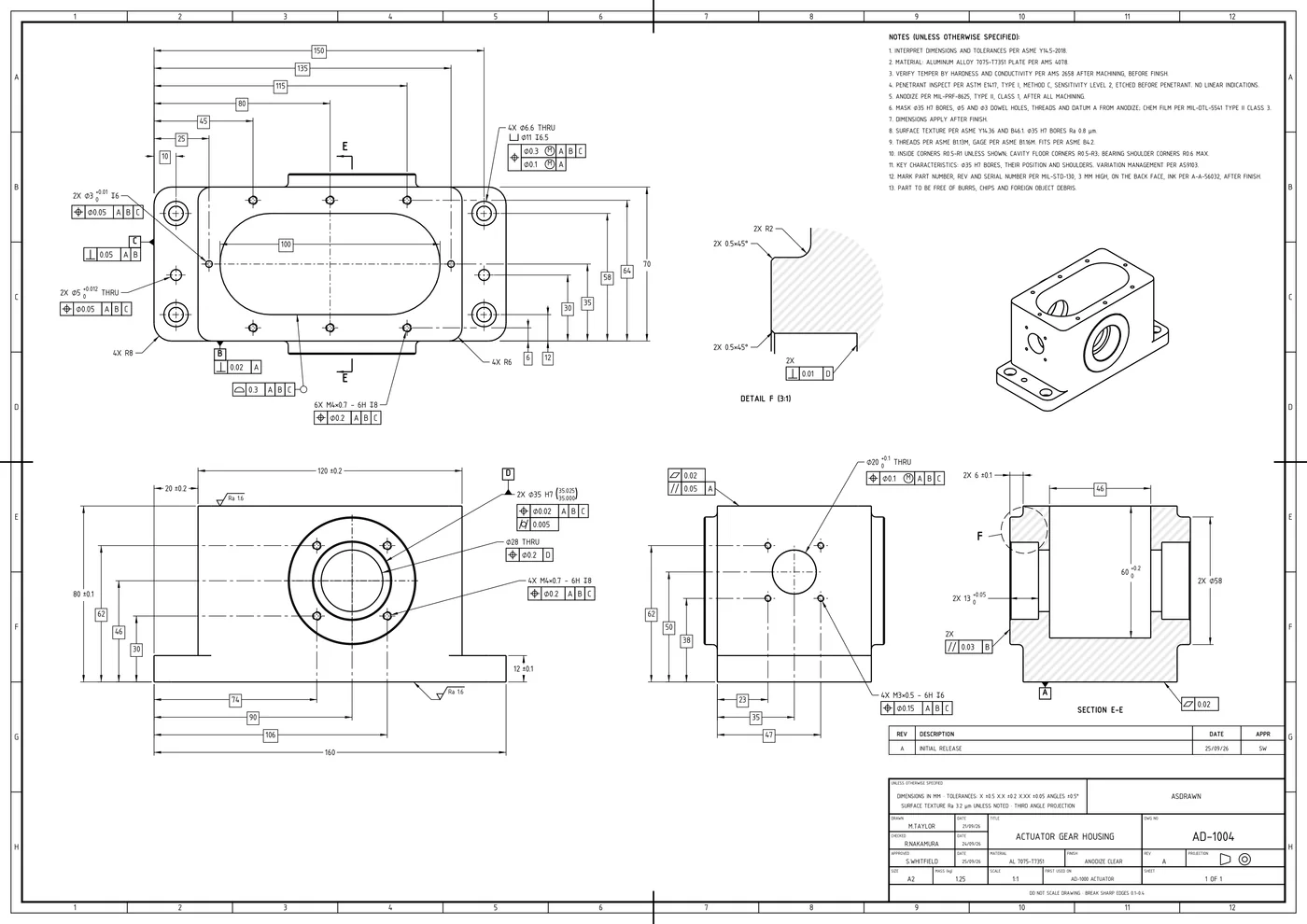
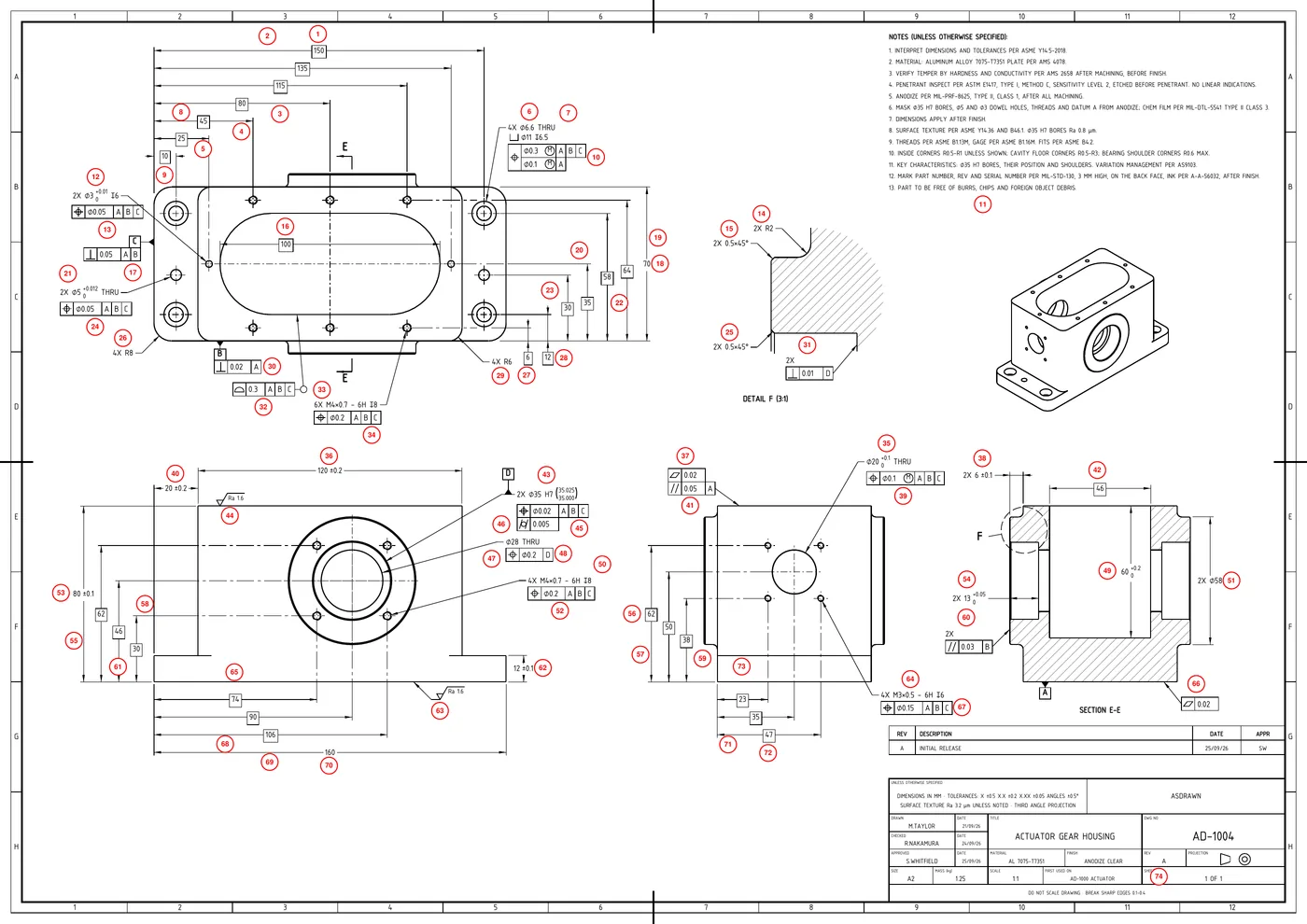
ASdrawn reads the drawing and balloons each requirement for you to check, then keeps the record from first-off to sign-off.
Your drawing PDF stays on your device. Page images are read in memory for the analysis, not stored by us and never used for training. How your drawing is handled
The part, its drawing, the editor
Your part and its drawing, in a form software can act on.
ASdrawn turns the drawing into data software can use: its dimensions, tolerances, GD&T frames, threads, notes and title-block fields, numbered, located on the sheet and checked by a person.

What you get
One record, three levels.
The ballooned PDF and the inspection sheet; a one-page Basic FAI; or AS9102 Rev C Forms 1, 2 and 3 in one Excel workbook. All from the same data, so moving between them loses nothing you entered.
Demo run · AD-1004 Rev A · as the AS9102 export writes it
The first-off record
- Results at the machine, on a phone: a value, or accept or reject. Pass or fail comes from the drawing’s limits; a person judges any it can’t value.
- Gauges from your own list. A reading taken with an overdue or unknown calibration is flagged on the export.
- Nonconformances: what was wrong, the action, the disposition and who decided.
- Actuals imported from a spreadsheet or a CMM’s CSV export, matched on balloon number.
Still building FAIRs by hand? The blank AS9102 Rev C workbook is free: no email, no sign-up.
Get the free template- 1. Part Number
- AD-1004
- 2. Part Name
- ACTUATOR GEAR HOUSING
- 3. Serial Number
- —
- 4. FAIR Identifier
- —
- 5. Part Revision Level
- A
- 6. Drawing Number
- AD-1004
- 7. Drawing Revision Level
- A
- 10. Organization Name
- ASDRAWN
| 5. Material or process name | 6. Specification number | 7. Code | 8. Special process supplier code |
|---|---|---|---|
| 2. MATERIAL: ALUMINUM ALLOY 7075-T7351 PLATE PER AMS 4078. | AMS 4078 | D | |
| AL 7075-T7351 | D | ||
| 3. VERIFY TEMPER BY HARDNESS AND CONDUCTIVITY PER AMS 2658 AFTER MACHINING, BEFORE FINISH. | AMS 2658 | N | |
| 4. PENETRANT INSPECT PER ASTM E1417, TYPE I, METHOD C, SENSITIVITY LEVEL 2, ETCHED BEFORE PENETRANT. NO LINEAR INDICATIONS. | ASTM E1417 | N | |
| 5. ANODIZE PER MIL-PRF-8625, TYPE II, CLASS 1, AFTER ALL MACHINING. | MIL-PRF-8625 | N | |
| 6. MASK Ø35 H7 BORES, Ø5 AND Ø3 DOWEL HOLES, THREADS AND DATUM A FROM ANODIZE; CHEM FILM PER MIL-DTL-5541 TYPE II CLASS 3. | MIL-DTL-5541 | N | |
| 12. MARK PART NUMBER, REV AND SERIAL NUMBER PER MIL-STD-130, 3 MM HIGH, ON THE BACK FACE, INK PER A-A-56032, AFTER FINISH. | MIL-STD-130 | N | |
| ANODIZE CLEAR | N |
| 5. Char. No. | 6. Reference location | 8. Requirement | 9. Results |
|---|---|---|---|
| 001 | Sheet 1, Zone A3 | 150 | Blank, for the inspector |
| 002 | Sheet 1, Zone A3 | 135 | Blank, for the inspector |
| 003 | Sheet 1, Zone A3 | 115 | Blank, for the inspector |
| 004 | Sheet 1, Zone A3 | 80 | Blank, for the inspector |
| 005 | Sheet 1, Zone A2 | 45 | Blank, for the inspector |
| 006-1 | Sheet 1, Zone A5 | Ø6.6 mm THRU | Blank, for the inspector |
| 006-2 | Sheet 1, Zone A5 | Ø6.6 mm THRU | Blank, for the inspector |
| 006-3 | Sheet 1, Zone A5 | Ø6.6 mm THRU | Blank, for the inspector |
8 of 130 rows shown
Also shipped
More than ballooning.
The editor that balloons the drawing also compares revisions and takes redlines; Knowledge answers from your machine manuals; the reference tools are free.
Revisions, redlines, portal exports
- Overlay two revisions of a drawing: matched balloons, unmatched characteristics flagged, your numbering carried onto the new revision.
- Add a characteristic the drawing is missing as real drafting ink and balloon it onto Form 3.
- Export Form 3 as Excel matched to Net-Inspect’s documented import, or fill your own Net-Inspect template.
Ask your machine manuals
- Upload the PDF manuals for your machines. Every answer quotes the passage it was taken from, one click from the page.
- If the cited pages don’t back an answer, it says it can’t answer instead of guessing.
- Photograph a control screen, confirm the alarm codes it read, and ask about them.
Manuals are stored in your workspace so answers can open the page; questions use the same credits as drawings.
Reference tools, free
- 82 reference pages and calculators, each naming the standard or formula it answers from. No account needed.
- Thread data & callout resolver ISO 261 / 965 · ASME B1.1
- Fits & limits calculator ISO 286-1 / -2
- GD&T symbols & modifiers ASME Y14.5 · ISO 1101
- Tap drill calculator 60° form · 6H / 2B minor limits
Pricing
Pay for drawings, not seats.
Every plan includes 10,000 credits a month; a typical drawing uses about 30–60. No demo call, no quote gate.
FAQ
The questions you should ask.
How drawings and manuals are handled, processed, stored and deleted is in the privacy policy; how the service is secured is on the security page.
01How accurate is the extraction?
02We're a small shop without AS9100. Is this for us?
03Is there a free trial?
04Is my drawing data stored or used to train models?
05We handle export-controlled data. Can we use this?
06What does the auditor or the customer actually see?
07Do I need CAD files?
As drawn. As made. As measured.
The drawing says what the part must be; the record shows what was made and what it measured. Try the live demo with no account, then sign up to run your own drawings.